Announcements
Announcements let supervisors and admins broadcast messages to the entire organization, or to a chosen set of locations or departments. Employees see announcements in their sidebar and can read them at their own pace.
Creating an Announcement
- Navigate to Announcements in the sidebar.
- Click New announcement.
- Fill in the form:
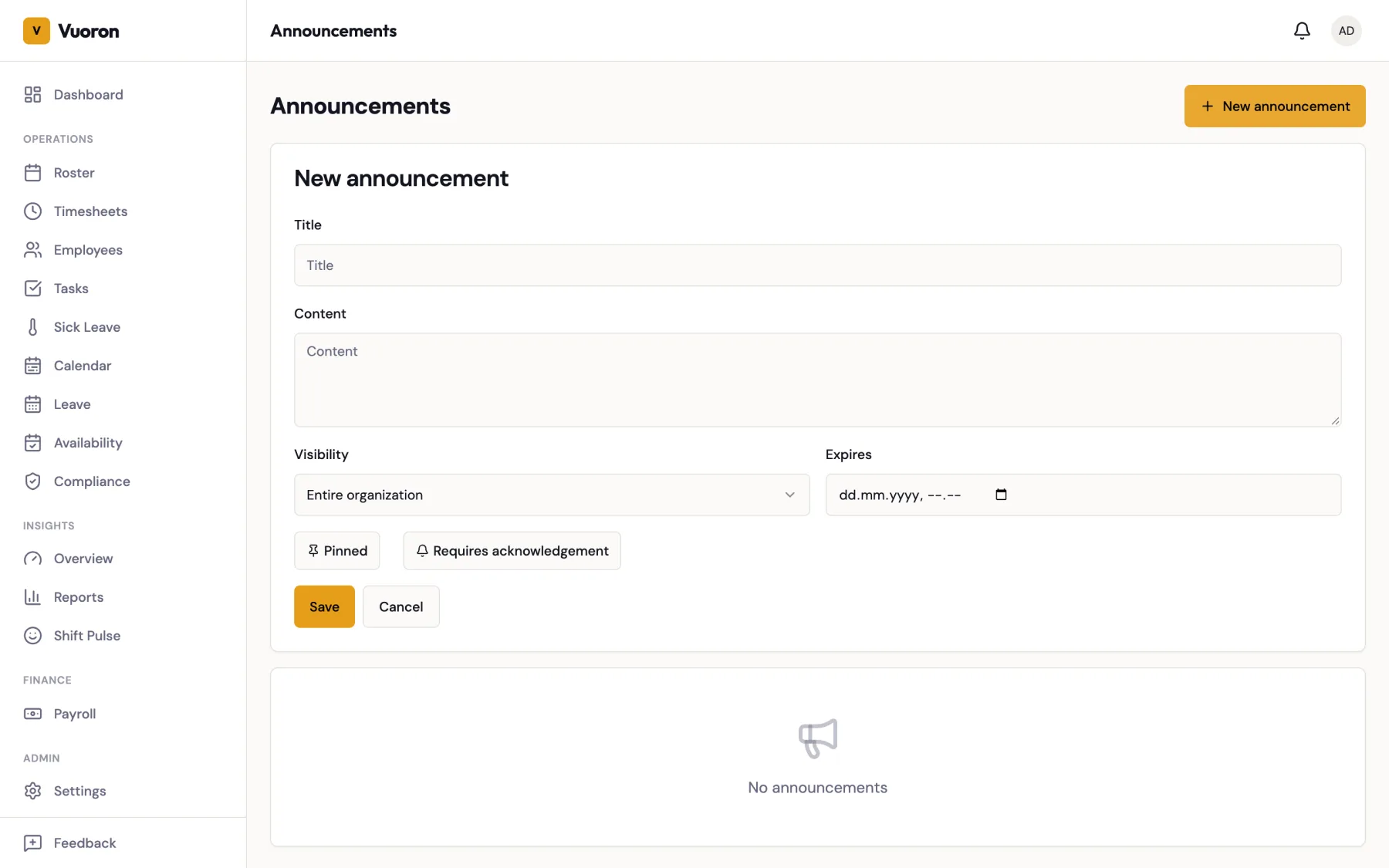
| Field | Description |
|---|---|
| Title | A short headline (up to 200 characters). |
| Content | The full announcement body. |
| Visibility | Who can see it -- Entire organization, Location, or Department. For Location and Department, pick one or more targets (see Scoping). |
| Pinned | Pinned announcements always appear at the top of the list. |
| Requires acknowledgement | If enabled, the announcement is highlighted until the employee marks it as read. |
| Expires | Optional date after which the announcement stops appearing. |
- Click Save.
The announcement is published immediately and visible to all employees in the selected scope. Employees in scope are also notified.
Viewing Announcements
All users see the Announcements page in the sidebar. The list is split into two groups:
- Pinned -- Important announcements that stay at the top.
- Regular -- Everything else, shown in reverse chronological order.
Unread announcements are marked with a blue left border and an Unread badge. Clicking an announcement opens the full detail view and automatically marks it as read.
Announcement Detail
The detail page shows the full content along with metadata: scope, author, publish date, and expiry. Supervisors and admins can:
- Edit the title and body.
- Archive the announcement so it no longer appears in the list.
- Delete it permanently.
Read Receipts
Supervisors and admins see a Read by section on the detail page showing which employees have read the announcement and when. A counter (e.g., "12/30 read") gives a quick overview of reach.
Scoping
Announcements can target three levels:
| Scope | Who sees it |
|---|---|
| Entire organization | All employees in the tenant. |
| Location | Employees assigned to any of the selected locations. |
| Department | Employees in any of the selected departments. |
When you choose Location or Department, the available locations or departments appear as toggle chips. Click each one you want to include — for example, three of your eight parks — and the counter shows how many are selected. At least one must be selected before you can save.
An employee who belongs to more than one selected location or department sees the announcement once and gets only one notification, and counts once in the read-receipt total.
Permissions
| Action | Roles |
|---|---|
| View announcements | All users |
| Create / edit | Supervisors, managers, company admins |
| Delete | Managers, company admins |
| View read receipts | Supervisors, managers, company admins |