My Pay
The My Pay page is your self-service view of finalized payroll periods. Open it from the nav; no one else sees your line items here.
Payslip list
The landing view lists past periods your employer has locked. Each row shows:
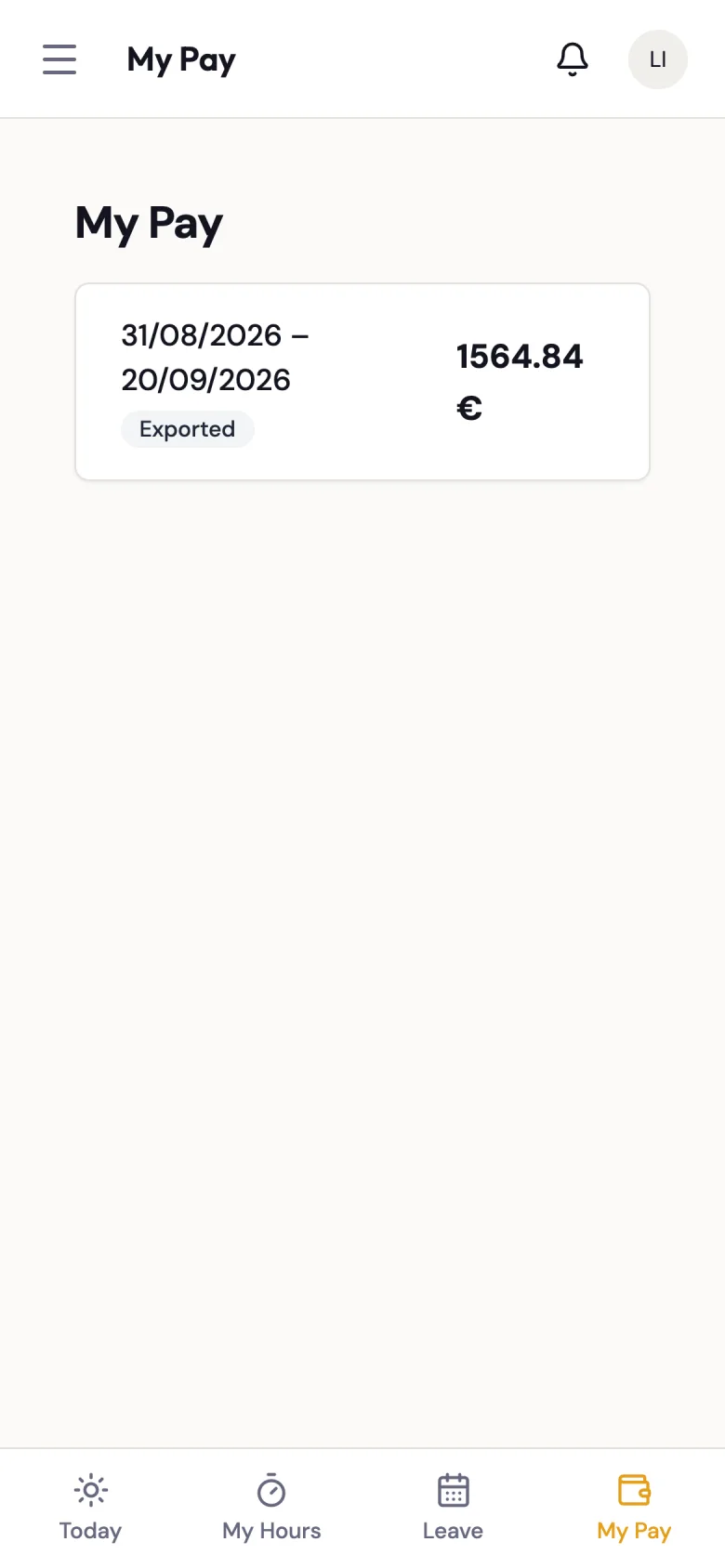
| Column | What it means |
|---|---|
| Period | The date range covered (e.g. 1.3.2026 – 21.3.2026). |
| Status | Locked once the period is ready; Exported once it has been sent to payroll (for example, via Netvisor). |
| Total | Your gross total for the period in euros. |
Click a row to drill into the period detail.
When a period appears here
A period only appears on your My Pay list once it has been locked by a manager. Drafts, periods under review, and rejected periods are not shown — if you expect a period to be here and it is not, it is still being processed.
Period detail
Opening a period shows every pay component you earned that period, grouped into a few categories. For each component you see the label, the hours (if applicable), the hourly rate, and the euro amount.
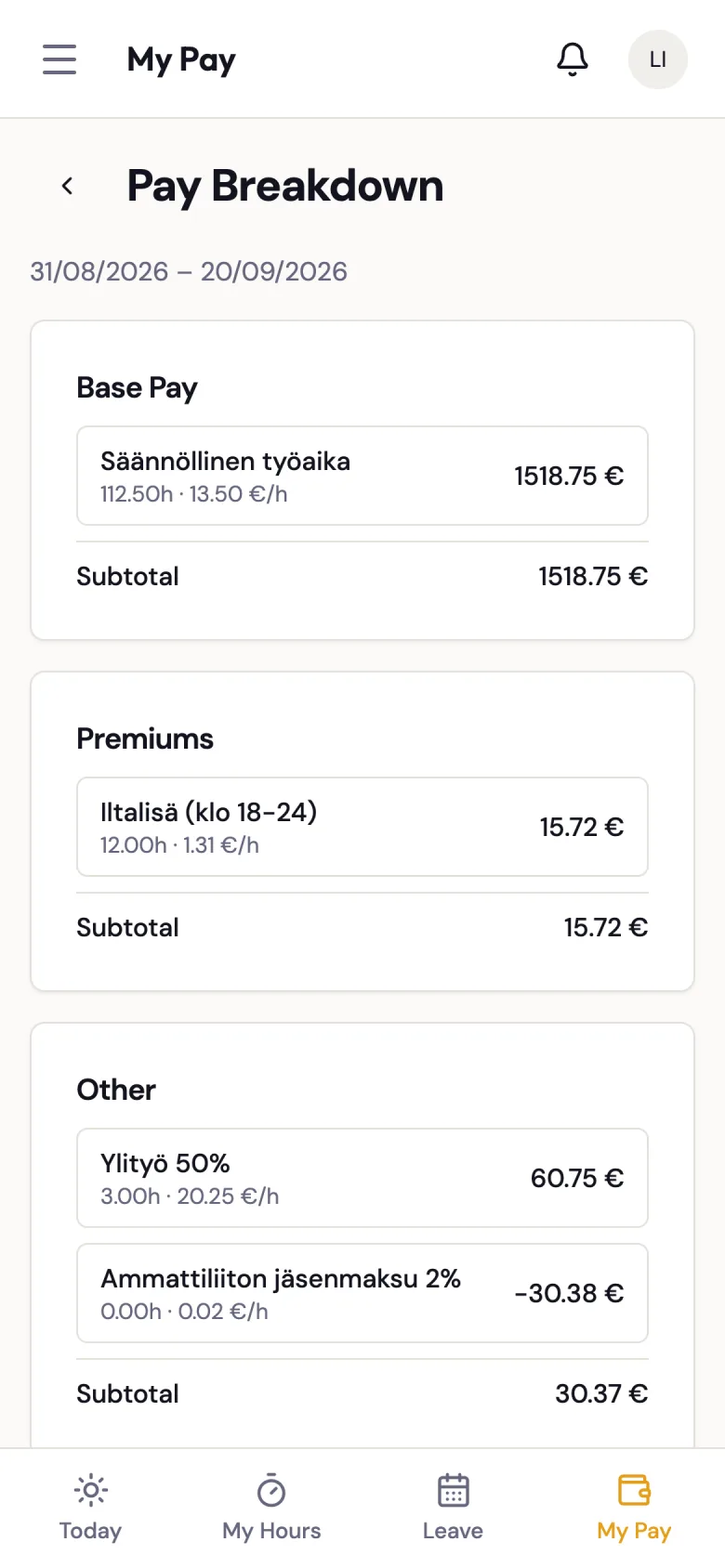
Base pay
| Component | Meaning |
|---|---|
Regular hours (REG) | Your normal paid working hours at your contract rate. |
Additional work (ADD) | Hours worked above your contracted amount that do not yet hit an overtime threshold. |
Overtime
| Component | Meaning |
|---|---|
Overtime +50% (OT50) | First tier of overtime pay. |
Overtime +100% (OT100) | Double-time overtime. |
Vacation-period OT +100% (VACATION_OT100) | Overtime earned during the vacation period. |
Premiums
Premiums stack on top of the underlying base/overtime pay for the hours in question. Premium minutes are calculated net of unpaid breaks — time spent on an unpaid break does not count toward an evening or night premium.
| Component | Meaning |
|---|---|
Evening (EVE) | Flat €/h premium for hours worked in the evening window. |
Night (NIGHT) | Flat €/h premium for hours worked in the night window. |
Sunday / holiday +100% (SUN100) | Double pay for work on a Sunday or public holiday. |
V-day +100% (V100) | Premium for work on your weekly rest day. |
X-day +50% (X50) | Premium for work on a marked extra free day. |
AP day +50% (AP50) | Premium for work on an AP (amusement-park holiday compensation) day. |
Balancing leave +50% (TS50) | Premium for work on a balancing-leave day in annual-system contracts. |
Leave and compensation
| Component | Meaning |
|---|---|
AP leave (AP_LEAVE) | Paid AP holiday compensation time off. |
AP leave comp (AP_LEAVE_COMP) | Cash compensation for AP time you did not take. |
Sick pay (SICK_PAY) | Sickness benefit. |
Shift cancellation (CANCEL_COMP) | Compensation (2 hours' pay) when a shift was cancelled after you had already travelled to or arrived at work. |
Missing X-day comp (MISSING_X_DAY_COMP) | Compensation for an X-day that was not realised. |
Unpaid absence (UNPAID_DED) | Deduction for an unpaid absence. |
Allowances and other
| Component | Meaning |
|---|---|
Custom allowance (CUSTOM_ALLOWANCE) | One-off or recurring allowance your employer has configured (transport, tool, etc.). The label comes from your employer. |
Project fee (FIXED_FEE) | A one-off lump sum paid for a specific project. |
Training (TRAINING) | Paid training hours. |
Union dues (UNION_DUES) | Your union-dues deduction, if you have it enabled on your employee profile. |
Equalization components
If you are on a 2-week, 3-week, or annual equalization contract, additional rows may appear that reconcile your period against the equalization balance (EQ_ADD, EQ_OT50, EQ_OT100, EQ_DEFICIT_DEDUCTION, and end-of-employment EQ_TERM_* variants). Your employer can explain the specific settlement rule if you are unsure what you are looking at.
If a line looks wrong
Raise it with your supervisor or manager directly — they can look at the component drill-down on the admin payroll screen and, if needed, reject the period back to draft, correct the underlying worklog, and re-run the calculation.