Multi-Company Employees
If your organization has several companies (legal entities), some employees may work shifts at more than one company's locations. By default, Vuoro files each hour of pay under the company that owns the location where it was worked. For an employee who is employed by one company but also helps out elsewhere, you can instead set a payroll company — the single employer of record that pays and reports all of their wages.
Default behaviour: pay follows the worked location
When an employee's payroll company is not set:
- Hours worked at company A's locations are paid in company A's payroll period; hours at company B's locations are paid in company B's period.
- Overtime is calculated separately within each company's period.
- The employee appears in each company's exports and reports for the hours worked there — whether or not they are assigned to that location.
This is the right choice for someone who genuinely has two employers.
Setting a payroll company
- Open the employee and edit their details.
- In Payroll company, pick the company that employs them. Leave it at — (paid per worked location) to keep the default behaviour.
- Save.
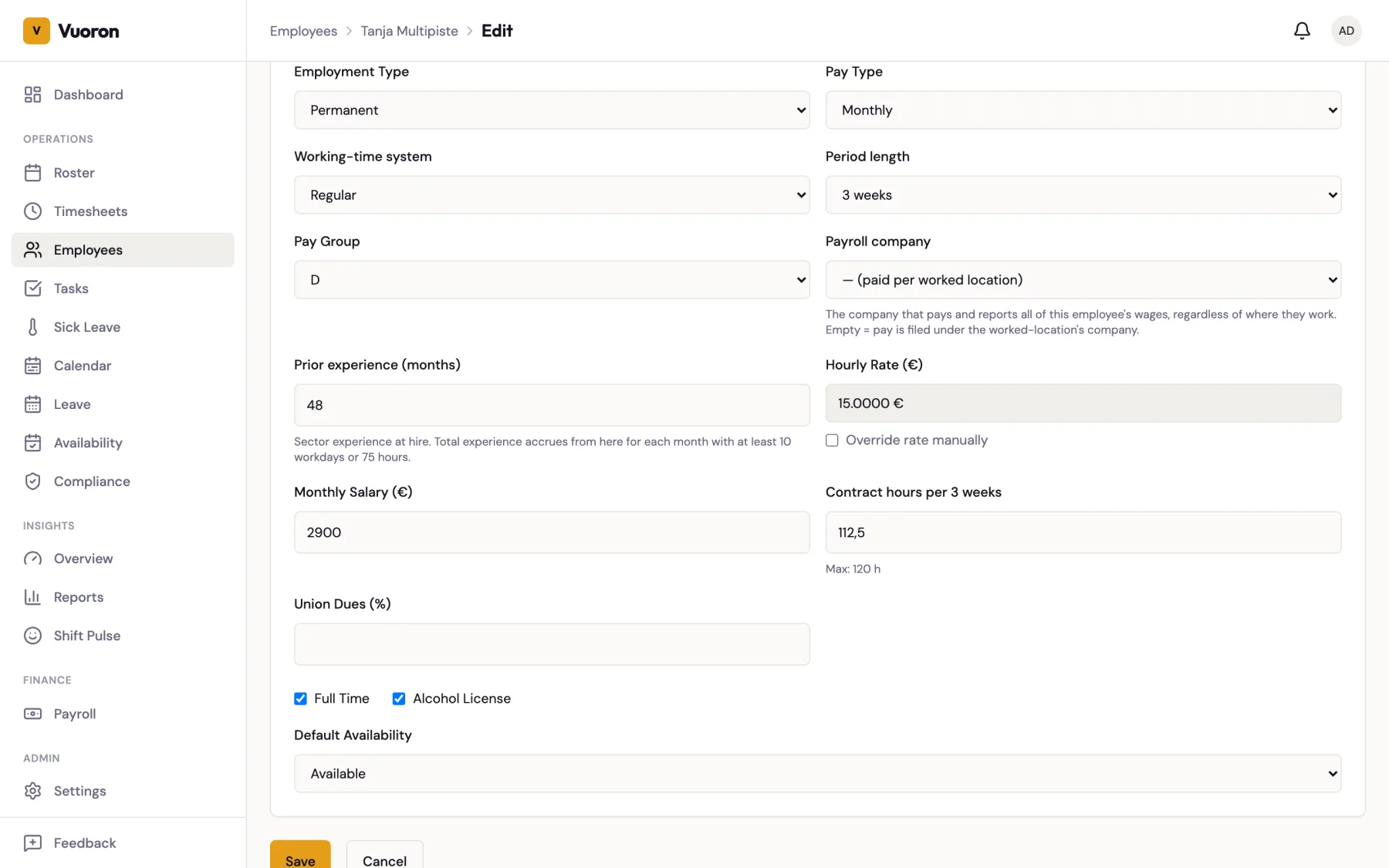
Only companies in your own organization can be chosen. Every change is recorded in the audit log (who, when, old and new value).
To find employees who don't have a payroll company yet — for example to review everyone who works across companies — use the Payroll company unset filter on the Employees page.
What changes when it is set
For an employee whose payroll company is X:
- One period pays everything. Company X's payroll period includes all of the employee's hours, wherever they were worked. Other companies' periods leave this employee out, so nothing is paid twice.
- Overtime is combined. Weekly hours from every location are added together before the TES overtime thresholds are applied (see Overtime Rules). For example, 30 hours at company X plus 20 hours at company Y in one week count as 50 hours under company X — not as two separate totals below the threshold.
- Locations are kept. Each pay line still records the location where the hours were worked, so the per-location exports and reports split the cost correctly.
- Exports and reports follow the payroll company. The employee's pay appears in company X's Netvisor export and in the payroll reports for company X, including hours worked at other companies' locations.
Approving and locking cross-company hours
- Approval stays local. Hours are still approved by the supervisor of the location where they were worked, exactly as for any other employee.
- The paying company locks them. When company X locks its period, it also locks the employee's approved hours at company Y's locations. Company Y's lock skips them.
- Unapproved hours block the lock. Company X can't lock its period while any of the employee's hours — at any company — are still Draft. Combined overtime needs the whole week, so locking with part of it missing would produce wrong pay. The lock message tells you how many worklogs are blocking it; ask the supervisor of the worked location to approve them. Company X does not have to wait for company Y's period to be locked.
Recalculating
To recalculate an employee's pay on the paying company's period without changing timesheets, use Reject → Run Payroll → Approve on company X's period. Don't Unlock just to recalculate — unlocking returns the worklogs to Approved and the period to Open, and nothing can be calculated until it is locked again. See Making Corrections.
Changing an employee's payroll company
A change applies to periods calculated after it; periods that are already approved or exported are never recalculated.
To avoid splitting one payroll period between two employers, the change is refused while the employee has hours in a period that is Locked or Calculated under a different company. Approve (or unlock) that period first, then make the change at a period boundary.
:::note Compliance limits stay per company Payroll combines the employee's hours across companies, but roster compliance checks (such as weekly rest and maximum hours) are still evaluated per company. A roster that passes compliance at each company separately can still produce overtime in the combined payroll. :::
Related
- Running Payroll — the period workflow.
- Managing Employees — editing employee details.